Not starting every direction from scratch
Choosing a visual style from nothing was more cumbersome than it needed to be. Before designing an interface, I still had to gather references, name a direction, and translate that intention into rules that could actually be applied.
I built Design Catalog to shorten that beginning: one place to compare different directions quickly and start from a base that already has shape. The goal is not to decide for the designer, but to keep every project from returning to a blank page.
See a direction, copy a base, make it your own
The main journey is organized around three actions. First, explore visually; then open the style that best fits the project; finally, copy the most useful artifact into a new conversation with an agent.
Find
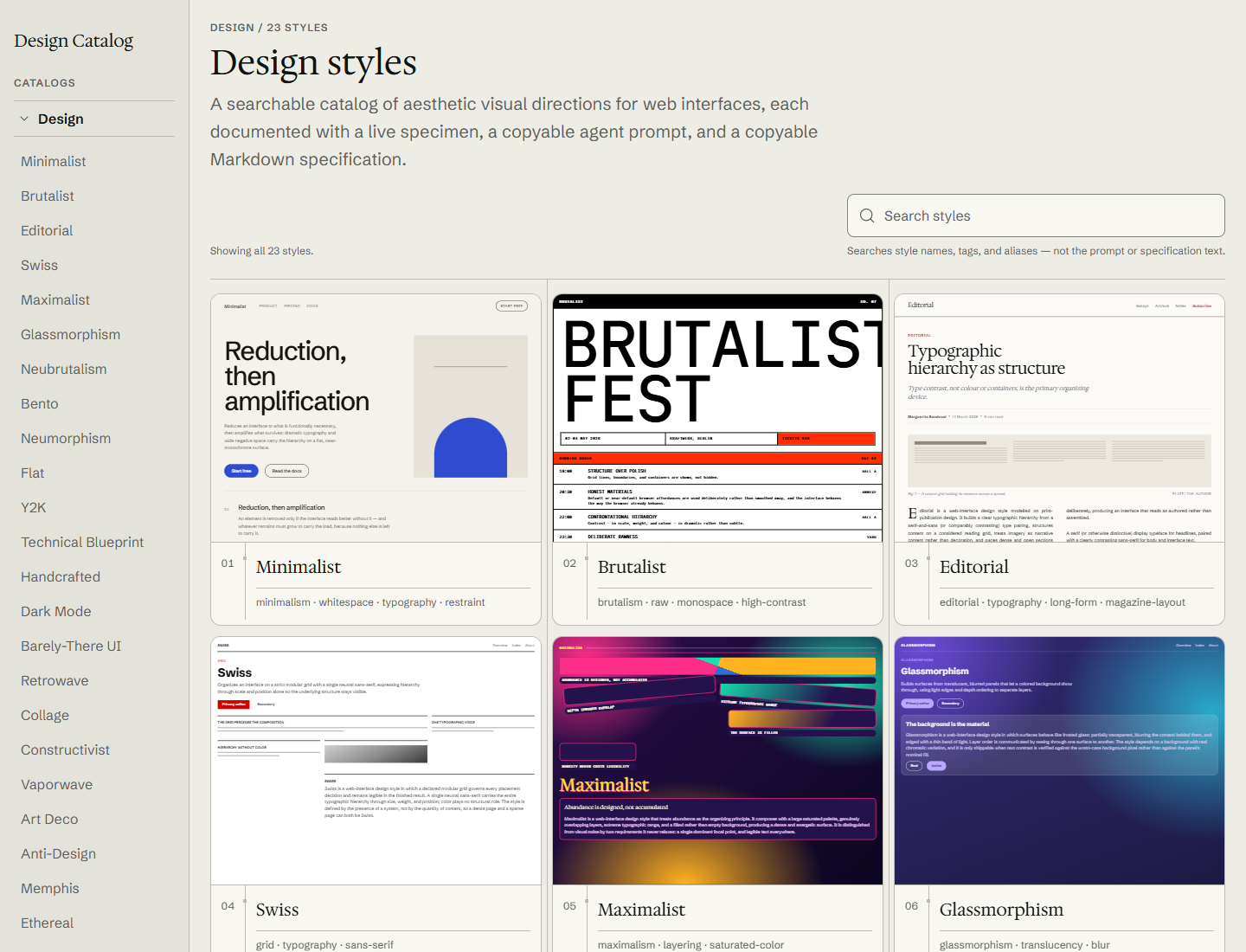
The index gathers different visual directions in a browsable grid. Search considers names, tags, and aliases, so a style can be reached through both its displayed name and its associated concepts.
Copy
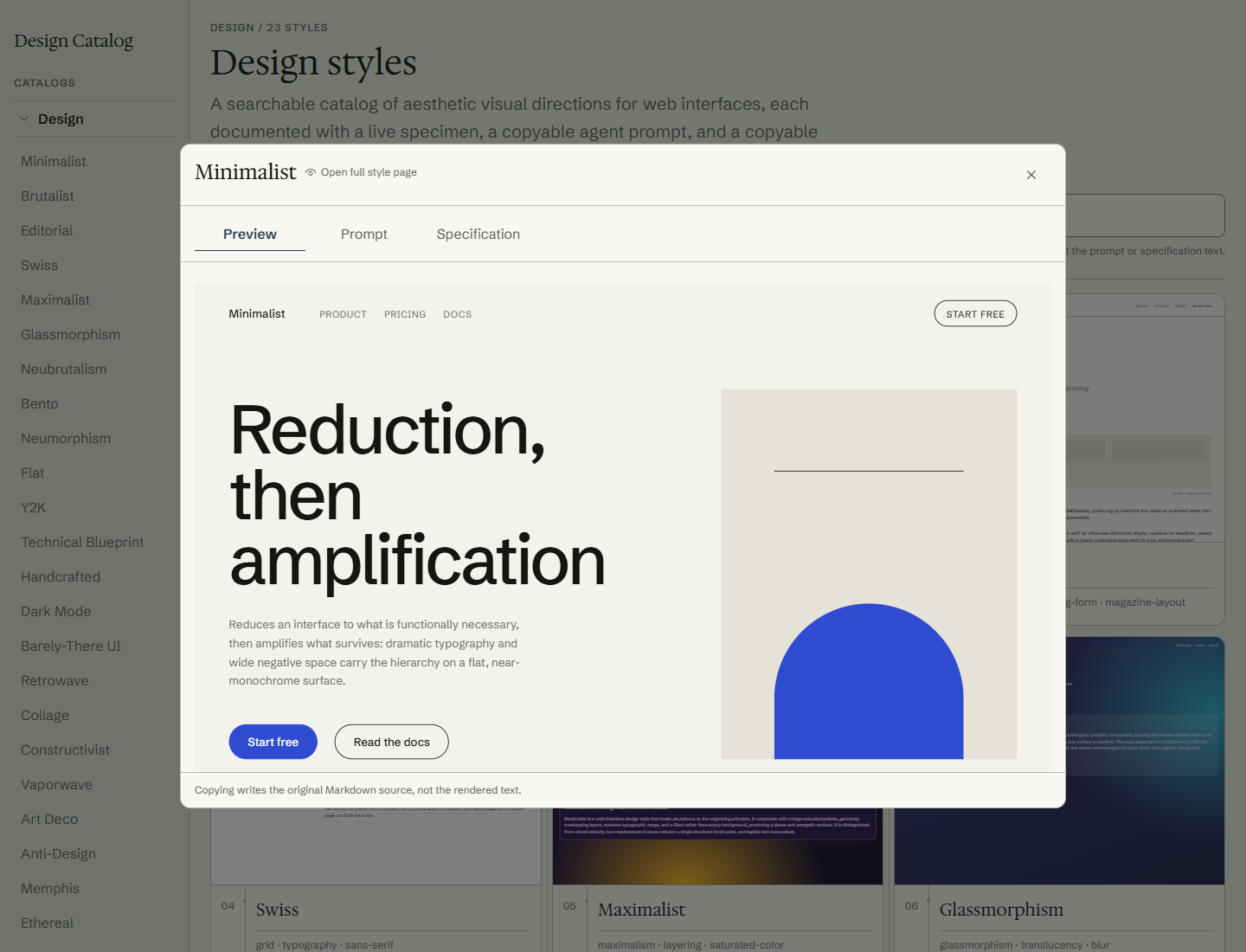
Each style opens a panel with three views: a specimen for recognizing it, a self-contained prompt for working with an agent, and a Markdown specification that records its decisions.
Adapt
The copied material is a starting point, not a rigid recipe or a guarantee of an exact output. It preserves a coherent direction while leaving room to change it for the project's real context.
The important difference is in that final step. A gallery can provide inspiration, but it still requires reconstructing what was seen before it can be used. Here, the visual reference and copyable instructions live together: someone can evaluate a direction and leave the catalog with a concrete base for further work. Both the prompt and specification are designed to survive when pasted separately into a new conversation; they do not depend on the agent knowing the rest of the site.
More than an image: specimen, prompt, and specification
Every entry keeps three pieces together, each with a different job. Their separation makes it possible to recognize an aesthetic before deciding how much detail is needed to apply it.
Specimen
A live HTML and CSS demonstration shows the direction in use and responds to the viewer width. The same piece is reused in the card, panel, and style page.
Prompt
Provides self-contained instructions so an agent can work with that direction without needing prior context from the catalog.
Specification
Keeps a more detailed, copyable Markdown reference for reviewing the style's rules or transferring them with greater precision.
The specimen shows; the prompt guides an execution; the specification leaves a reference that can be consulted. No piece tries to replace the others, and both plain-text outputs can be used outside the catalog without carrying product dependencies with them.
Keeping the catalog consistent as new styles are added
The experience only holds together if each new entry arrives complete and remains easy to find. That is why the content is not treated as a collection of loose pages, but as one shared contract feeding the index, detail pages, and search.
One entry, three coordinated pieces
Every style must declare its metadata, prompt, and specification. Schemas and cross-validation stop publication when a piece is missing, identifiers disagree, or the manifest and content drift apart.
Search by how a style is understood
Ranking uses names, tags, and aliases through deterministic rules. This makes a direction findable even when the query does not exactly match the name displayed on its card.
Content available beyond the interface
Alongside the visual pages, /llms.txt and the prompt and specification routes expose artifacts as plain text. The catalog makes them discoverable to agents without claiming how any external model will use them.
Showing where a style lives, not only how it decorates
The first version shared one anatomy across most specimens. That foundation made comparison easier, but it could also leave neighboring directions differentiated mainly by color and typography. The next stage changes the question: not only what an aesthetic looks like, but what kind of site gives it meaning.
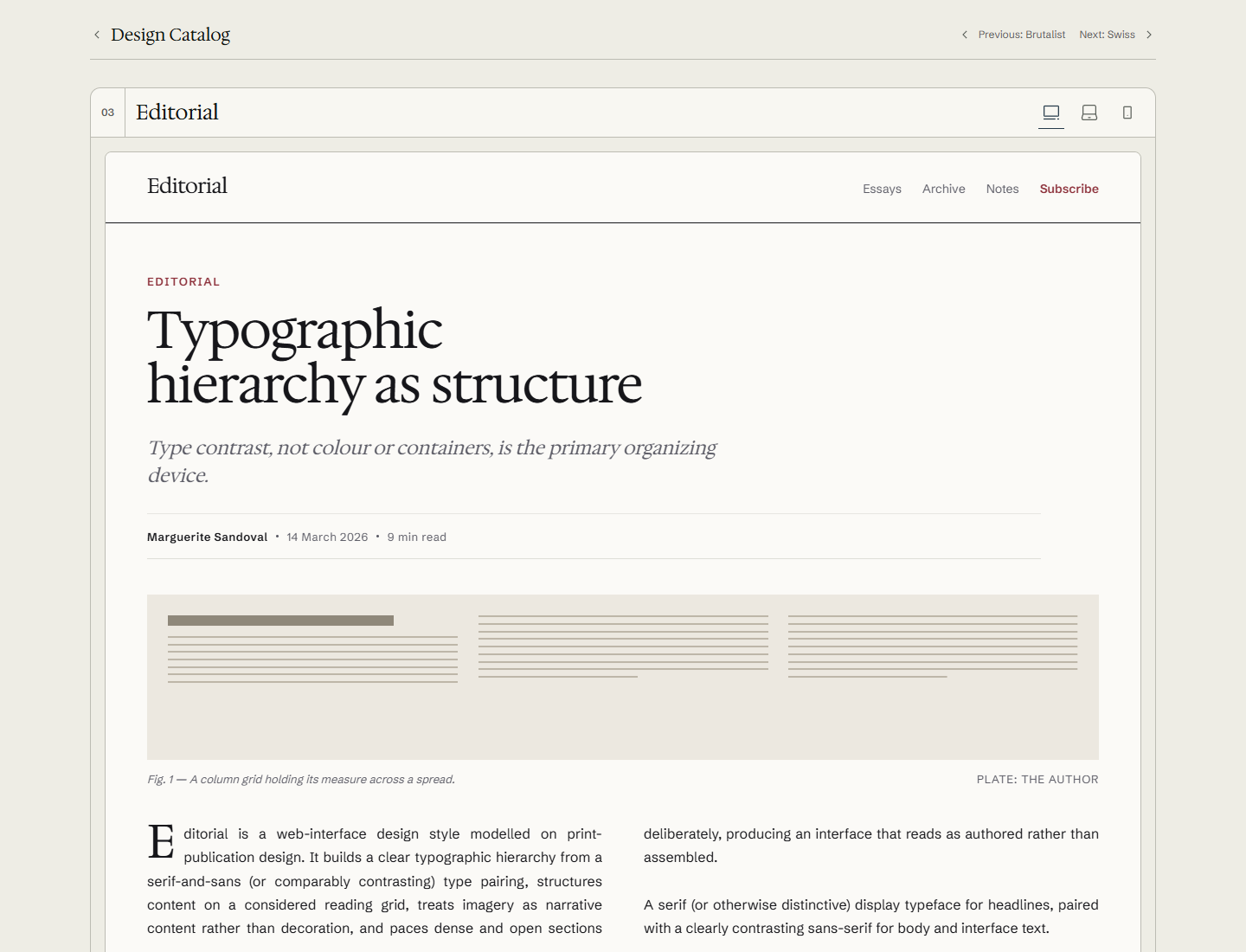
I am therefore deepening specimens into sites of their own. Editorial, for example, is presented as a publication, with a composition that demonstrates the style in a recognizable context. The first group of these sites is already deployed. Another group of styles has also been deepened but is not part of the public version yet, so current visitors cannot see it.
The MVP is live; the catalog is still growing
Already working
The deployed version supports browsing, searching, opening each style, and copying its prompt or specification. The complete find, copy, and adapt journey is already available.
Still evolving
The remaining work is to deepen how each direction is demonstrated and continue expanding the catalog. This is not about finishing a demo, but making every base more useful and specific without declaring the collection definitive.